Understanding Computer Services
In our increasingly digital world, computer services have become an indispensable part of our lives. They encompass a wide range of support and solutions designed to address various computing issues, enhance system performance, and ensure that technology continues to facilitate rather than hinder our everyday activities. This article delves into the definition, types, common misconceptions, and critical importance of professional computer services in maintaining operational efficiency in personal and professional environments alike.
Definition and Importance of Computer Services
Computer services refer to a broad spectrum of support activities aimed at maintaining and repairing computer systems, devices, and networks. These services can range from simple troubleshooting tasks to complete system overhauls, involving hardware upgrades, software installations, and data recovery operations. The importance of these services cannot be overstated, as they play a pivotal role in ensuring operational continuity, minimizing downtime, and maintaining data integrity.
In both business and personal contexts, accessing reliable computer services allows users to solve technical problems efficiently and effectively. Whether you are a student facing issues with a laptop during exam preparation or a business trying to recover critical data from a malfunctioning server, computer services provide the necessary expertise to tackle urgent and hazardous situations with professionalism.
Types of Computer Services Available
The types of computer services can be categorized into several distinct groups, each addressing specific needs and challenges:
- Repair Services: These include hardware diagnostics, troubleshooting, and the physical repair of components like hard drives, motherboards, and displays.
- Software Services: These involve installing, updating, or troubleshooting software programs, which can encompass operating systems, applications, or security software.
- Data Recovery: This service is critical for retrieving data lost due to hardware failure, accidental deletion, or cyberattacks.
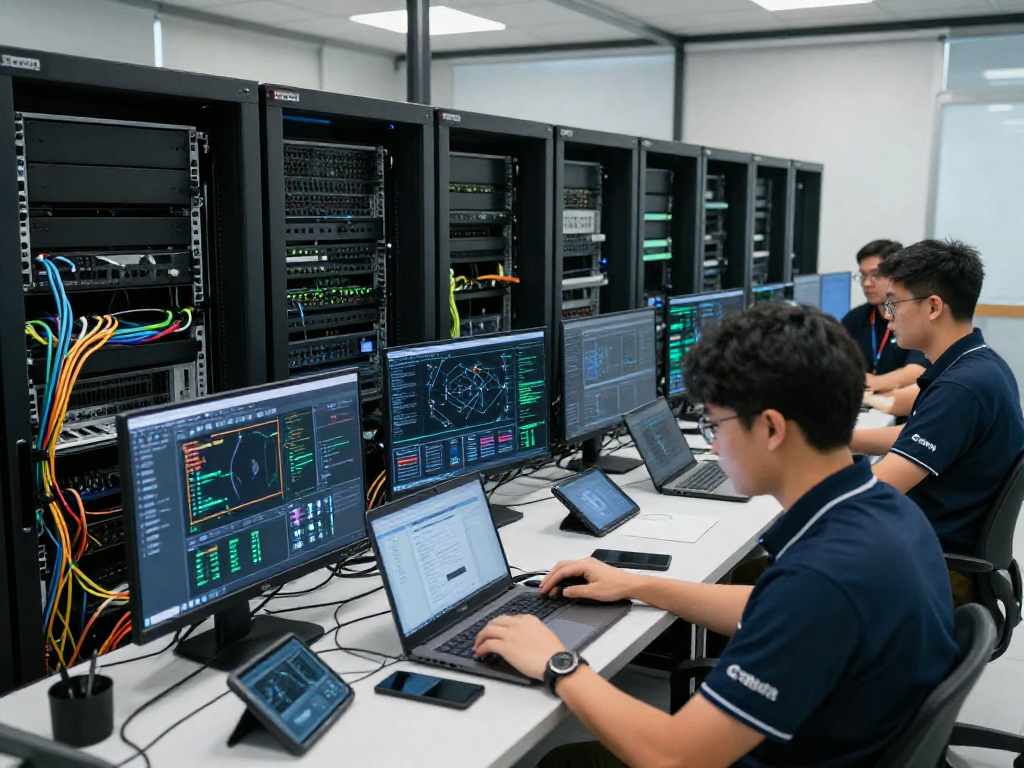
- Network Services: These include setting up, managing, and securing both wired and wireless networks, ensuring connectivity and data transfer without interruption.
- Consultation and Support: Providing expert guidance on IT best practices, system upgrades, and how to optimize existing setups.
Common Myths about Computer Services
Despite the many benefits offered by computer services, a few pervasive myths often deter individuals and businesses from utilizing them. One common misconception is that all computer issues can be resolved through basic troubleshooting, which can lead to more severe problems if not handled adequately. Another myth is that professional services are prohibitively expensive relative to DIY repairs; however, the long-term cost savings from preventing further damage can actually make professional help more economical. Lastly, some may believe that all computer service providers are the same, failing to recognize that varying levels of expertise and service quality exist, making thorough research essential.
Benefits of Professional Computer Services
The advantages of utilizing professional computer services are numerous, with significant impacts on time management, resource allocation, and data protection.
Time and Cost Efficiency
Professional computer services can save both time and money. When issues arise, having experts who can diagnose and resolve problems quickly reduces downtime, allowing individuals and businesses to focus on their core activities rather than being bogged down by tech-related issues. While some may view the upfront costs of hiring a technician as high, the savings gained by avoiding extensive repairs and potential data loss can far outweigh these initial expenses. By having timely interventions, organizations can ensure they're operating at maximum productivity at any given moment.
Access to Expertise and Tools
Another key benefit of professional computer services is access to skilled technicians equipped with advanced tools and troubleshooting software. These professionals undergo continual training to stay abreast of technological advancements, ensuring they can tackle contemporary challenges effectively. With this expertise, they can identify hidden problems that may not be immediately visible to an untrained eye. Moreover, utilizing the proper tools can prevent further damage to systems, thus preserving hardware longevity and performance.
Enhancing System Longevity and Performance
One notable benefit of employing regular computer services is their role in enhancing the longevity and performance of systems. A well-maintained computer system is less likely to experience catastrophic failures, ensuring that users can rely on their devices for more extended periods. Regular updates, hardware checks, and performance optimizations can make a considerable difference in the operational speed and efficiency of systems, minimizing the need for frequent replacements or major repairs.
Common Issues Addressed by Computer Services
Computer services cover a wide array of issues, many of which individuals and businesses encounter on a daily basis.
Virus and Malware Removal
One of the most prevalent issues facing users today is the threat of viruses and malware. Cybersecurity threats can disrupt operations, leading to data breaches or theft. Professional computer services offer comprehensive virus and malware removal solutions, ensuring that infected systems are restored to healthy states. Technicians will often implement preventive measures beyond simple removal, such as installing robust security software and educating users on safe browsing practices, to prevent future infections.
Hardware Upgrades and Repairs
As technology advances, so too does the need for hardware upgrades to keep systems up to date and capable of handling demanding software applications. Computer services include assessments of existing hardware and recommendations for upgrades—ranging from RAM expansions to SSD installations—that can significantly improve system performance. Repairs are also an integral part of these services, where technicians replace faulty components, ensuring that users can maintain reliable system functionality.
Data Recovery Services
Data loss can be devastating, whether from a hardware failure, accidental deletion, or cyber incidents. Professional computer services often include robust data recovery solutions capable of retrieving critical data under various circumstances. Skilled technicians utilize state-of-the-art software and methods to recover lost information safely, providing peace of mind to users who may be worried about irretrievable losses.
Choosing the Right Computer Services Provider
Selecting the right computer services provider is crucial to receiving quality support and solutions. Here are several factors to consider:
Evaluating Qualifications and Certifications
Before engaging a service provider, it's essential to evaluate their qualifications and certifications. Many professionals obtain certifications from recognized organizations, demonstrating their expertise in specific areas of computer service and repair. Check for credentials and ensure that the provider employs certified technicians to guarantee the quality of service you can expect.
Checking Customer Reviews and Feedback
Customer feedback can offer invaluable insights into the quality of service provided. Look for reviews on independent platforms, as they tend to be more reliable than testimonials found on a company's website. Reading experiences from previous customers can help gauge a provider's reliability, customer service, and turnaround times.
Assessing Service Package Offerings
Not all computer service providers offer the same range of services. When evaluating potential providers, analyze their service packages to ensure they align with your specific needs. Some may offer comprehensive support bundles that cover everything from routine maintenance to emergency repairs, while others may provide only niche offerings. Selecting a provider that can grow alongside your needs is essential for long-term success.
Future Trends in Computer Services
The landscape of computer services is continually evolving, shaped by technological innovations and shifts in how users interact with technology. Understanding these trends can help companies and individuals better prepare for the future.
Impact of Cloud Technology on Computer Services
Cloud technology has revolutionized how computer services are delivered and consumed. With the rise of cloud computing, businesses and individuals can access a range of services, including data storage, software applications, and virtual support, without needing extensive hardware installations or on-site expertise. This scalability not only enhances flexibility but also encourages cost-effectiveness by allowing users to pay solely for what they need.
Emergence of Remote Support Services
Remote support services have gained prominence, especially with the transition to more hybrid and remote work environments. Technicians can effectively diagnose and resolve issues without needing to be physically present, enabling quicker response times and reducing the overhead costs associated with on-site visits. As remote service technology improves, customers can expect more efficient resolutions to their computing problems without the need for extensive equipment transportation.
Innovations in Computer Security Services
With cyber threats evolving in complexity, the future of computer services lies in advanced security solutions. Companies specializing in IT support increasingly employ sophisticated security software and proactive systems monitoring to defend against potential threats. This proactive approach ensures that vulnerabilities are addressed before they can be exploited, safeguarding users' data from evolving cyber risks.